The Era of Personal Software Is Here
October 20, 2026
I used Claude to take my TV's home screen apart and rebuild it for my family: no ads, our apps in one row, photos we chose, and the day's prayer times. This is what changed, how you can do the same, and the risk that comes with it.
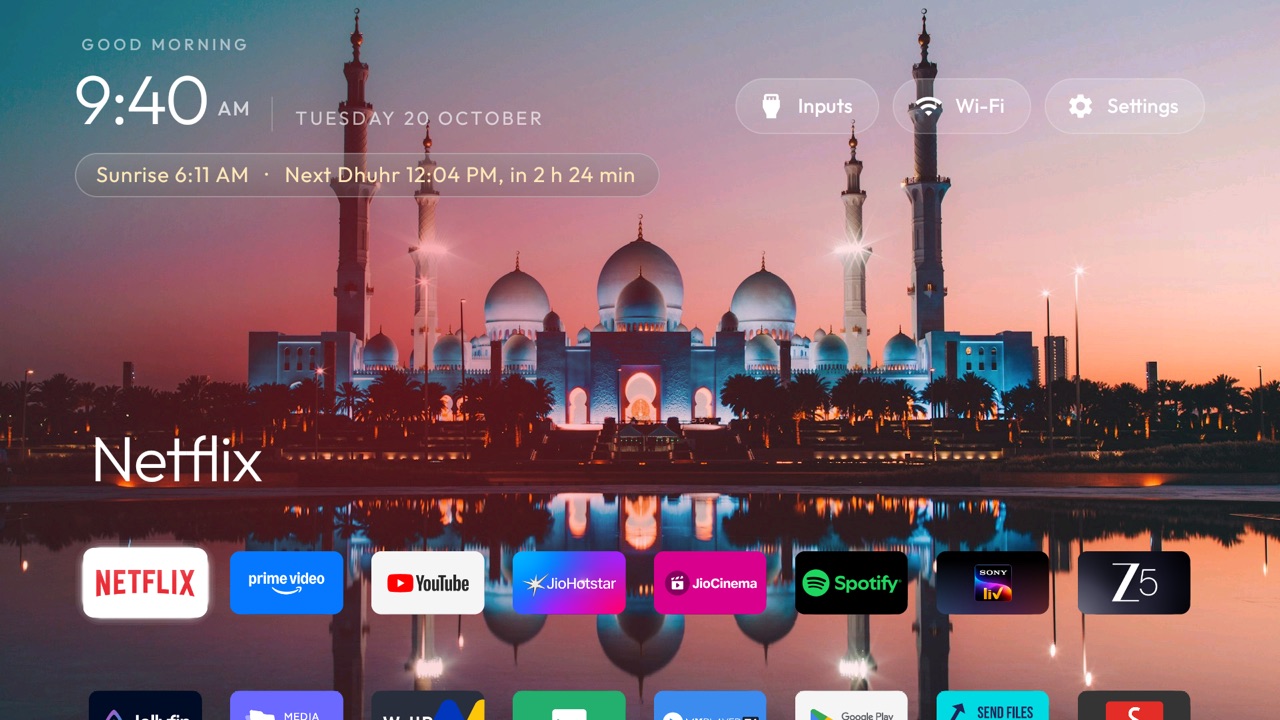
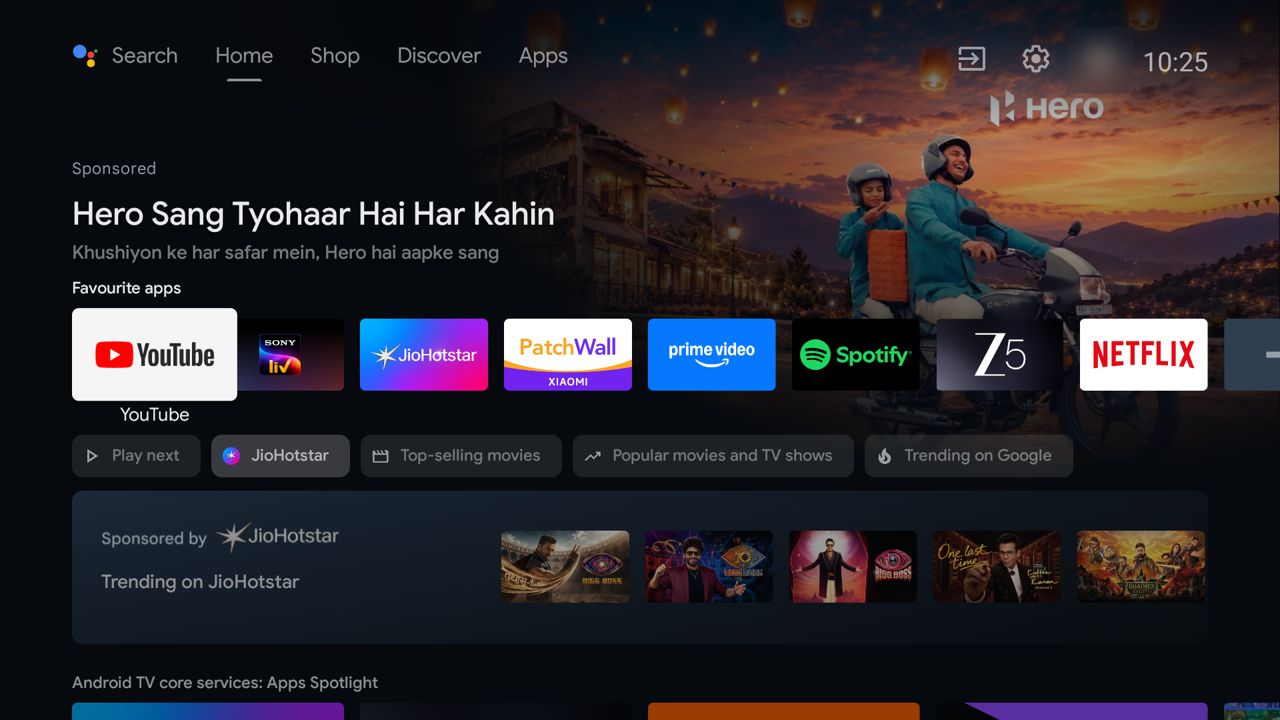
My TV opened with an advert. Before I could get to Netflix, there was a sponsored banner for a motorbike, a row “Sponsored by JioHotstar”, and a Xiaomi home screen I never asked for. The TV is a small Android computer, and like most computers it does what its maker wants first.
So I opened Claude Code on my laptop and asked it to help me take back the home screen. It found the TV on my Wi-Fi, made a backup, and switched off the parts I didn’t want. Then we built the parts I did want. It took one evening and one morning, and I wrote almost none of the code myself.
What we changed, in order
From a billboard to our TV
Found the TV and backed it up
With USB debugging on, the TV accepts commands over Wi-Fi. Claude found it, saved the list of apps and every setting, and wrote a restore script before touching anything.
Switched off 33 apps
Tracking, sponsored rows, Xiaomi's PatchWall, partner auto-installs and apps nobody used. They are disabled, not deleted: one command brings them all back.
Replaced the home screen
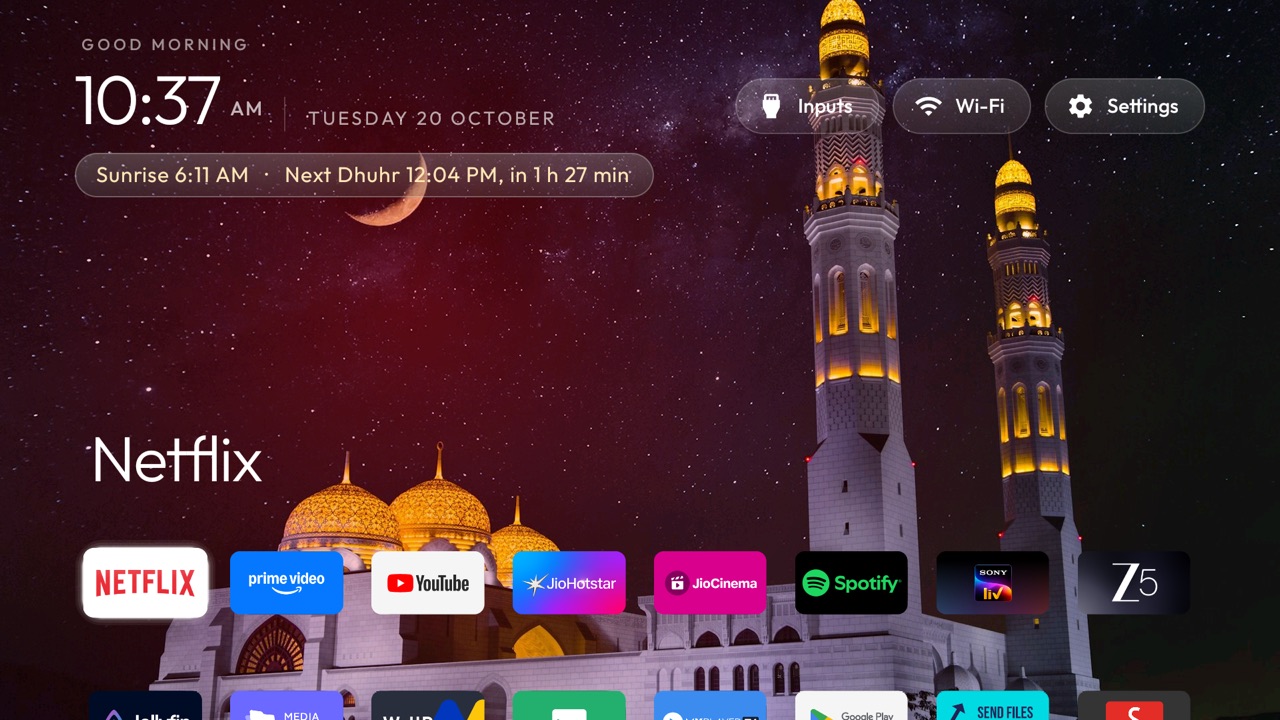
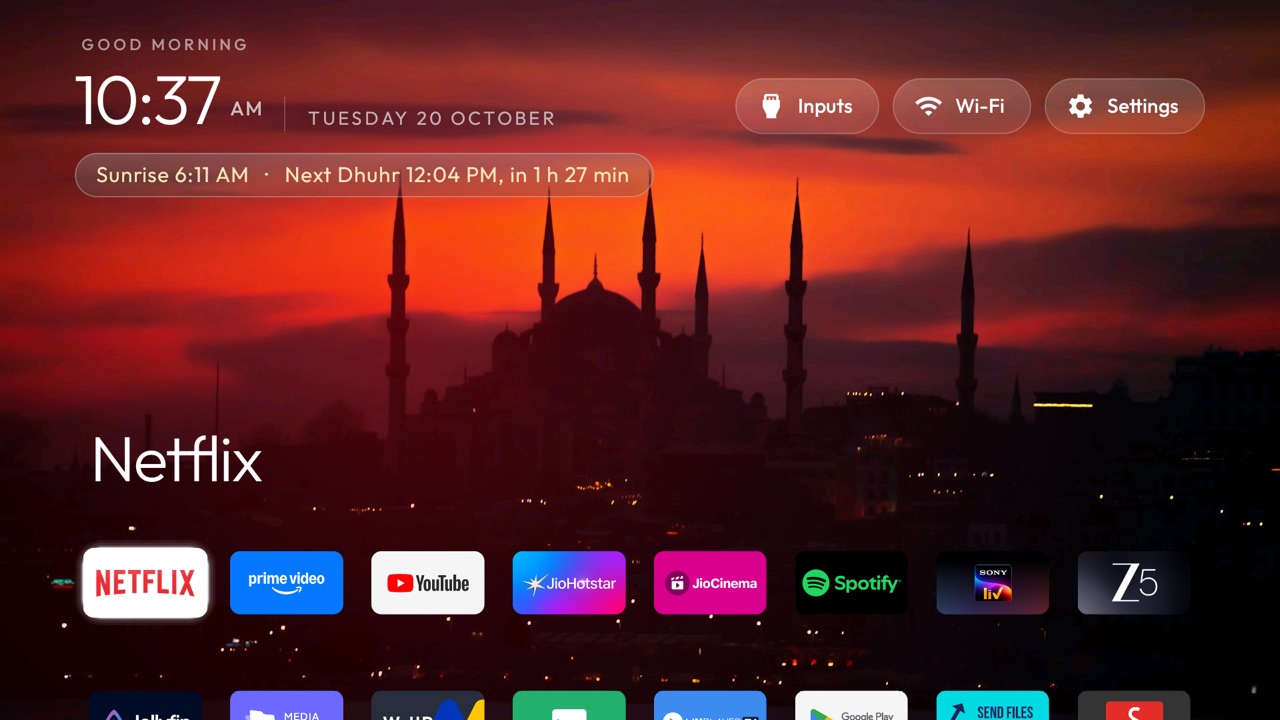
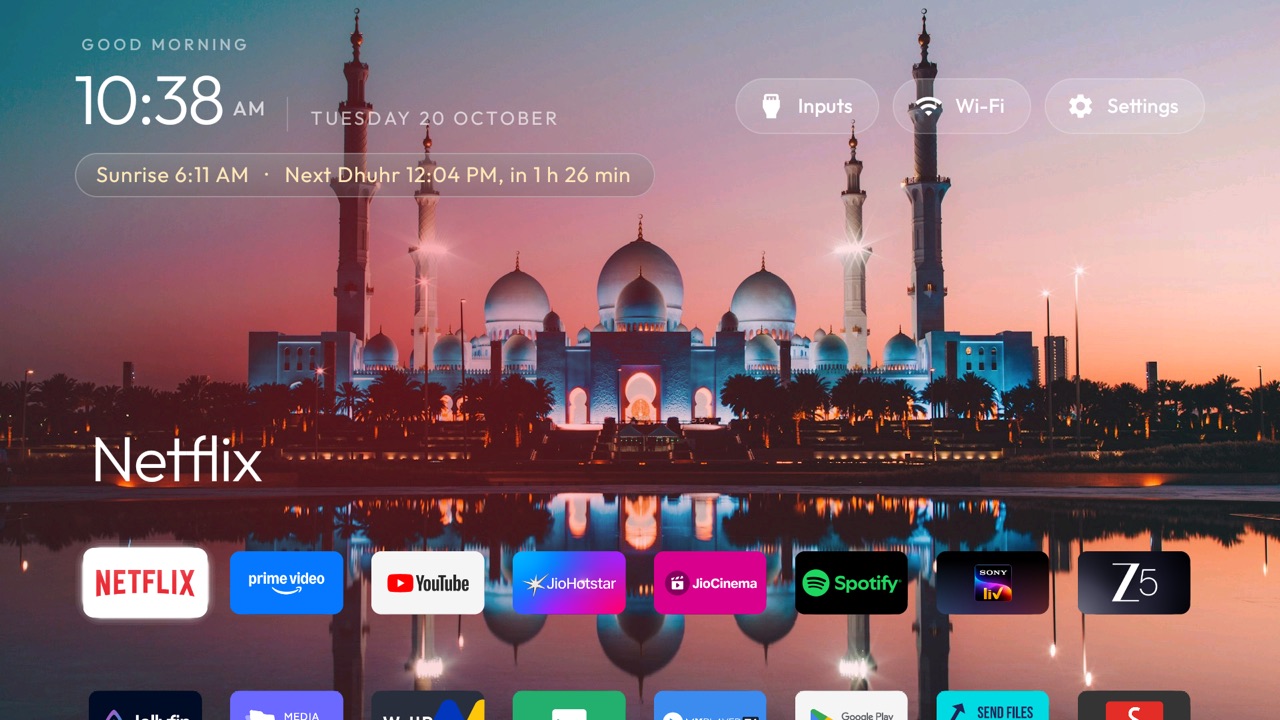
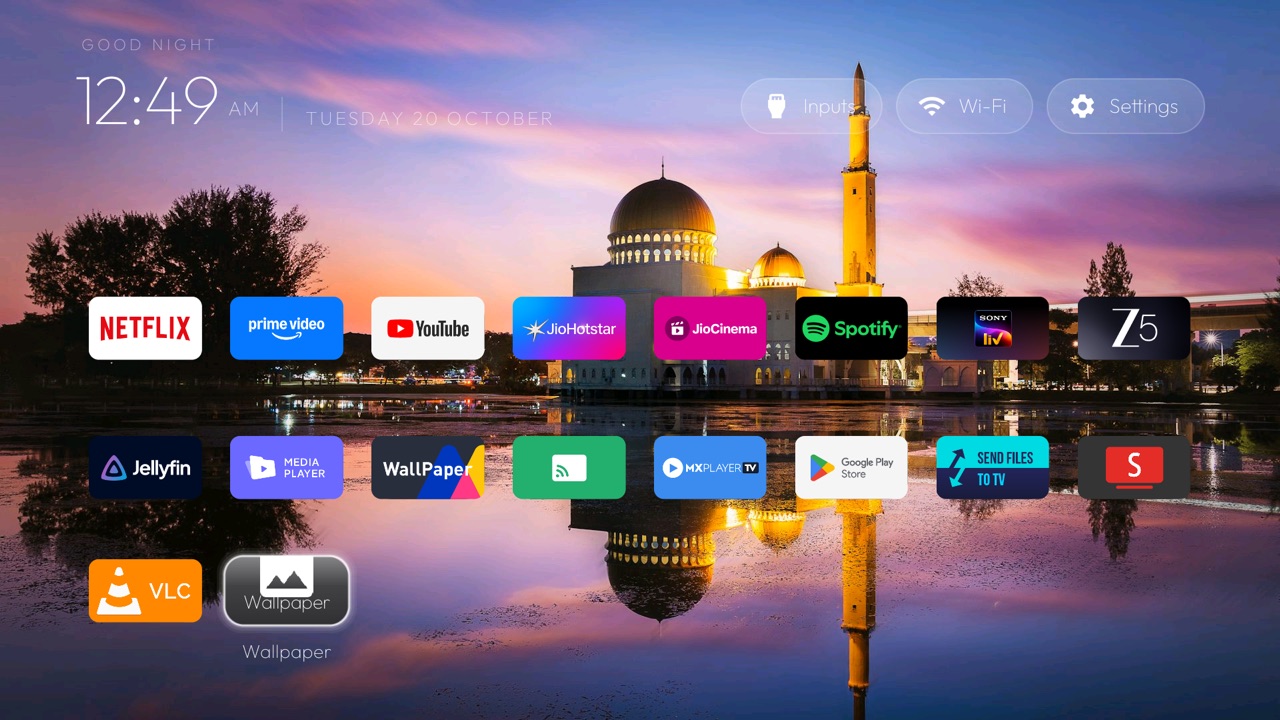
I copied the open-source cleanyourtv launcher and set it up with our eight apps in one row. You can do the same, copy mine, or just ask Claude to build a launcher the way you want it.
Added wallpapers that change
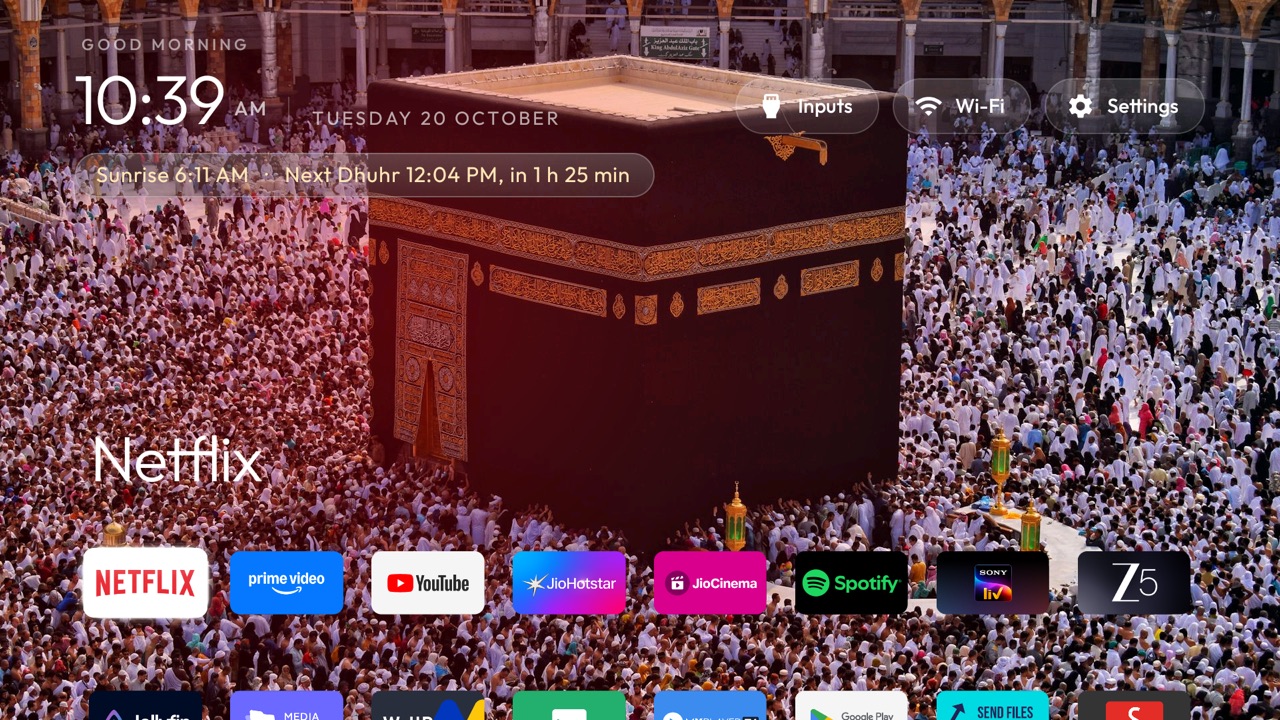
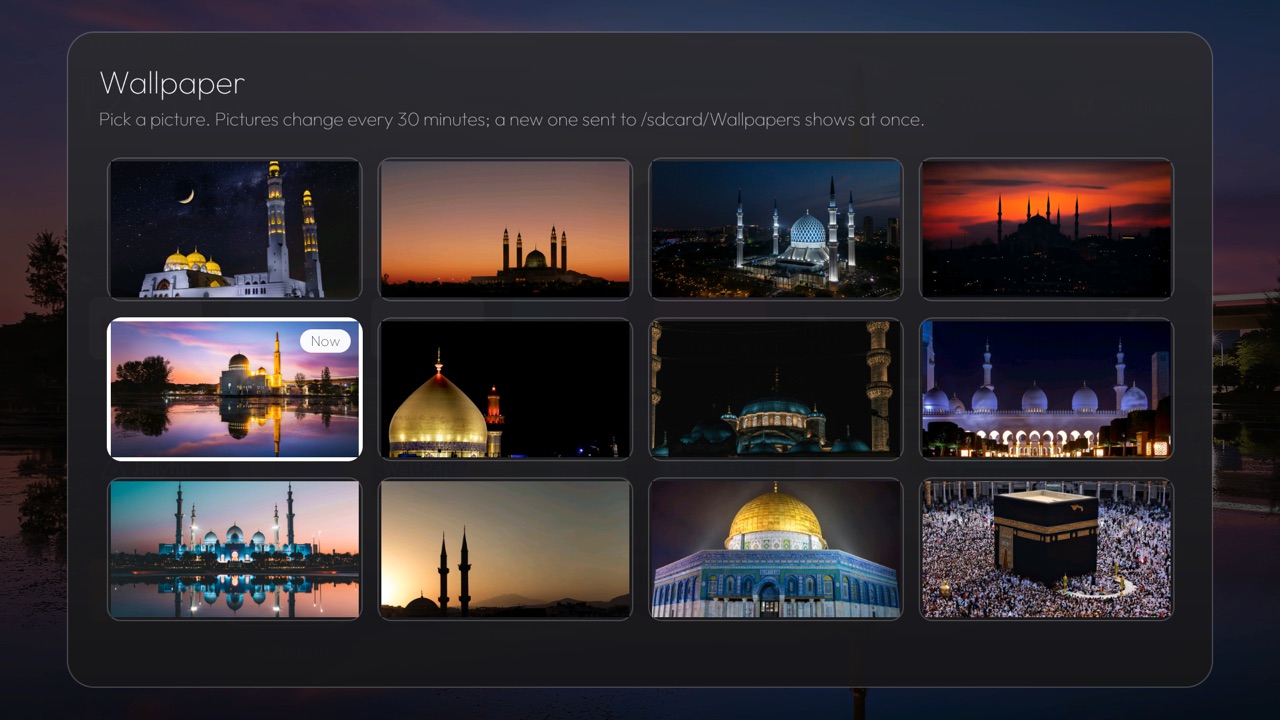
A folder of photos changes behind Home every 30 minutes. A Wallpaper tile opens a picker, so anyone can choose one with the remote.
Added prayer times
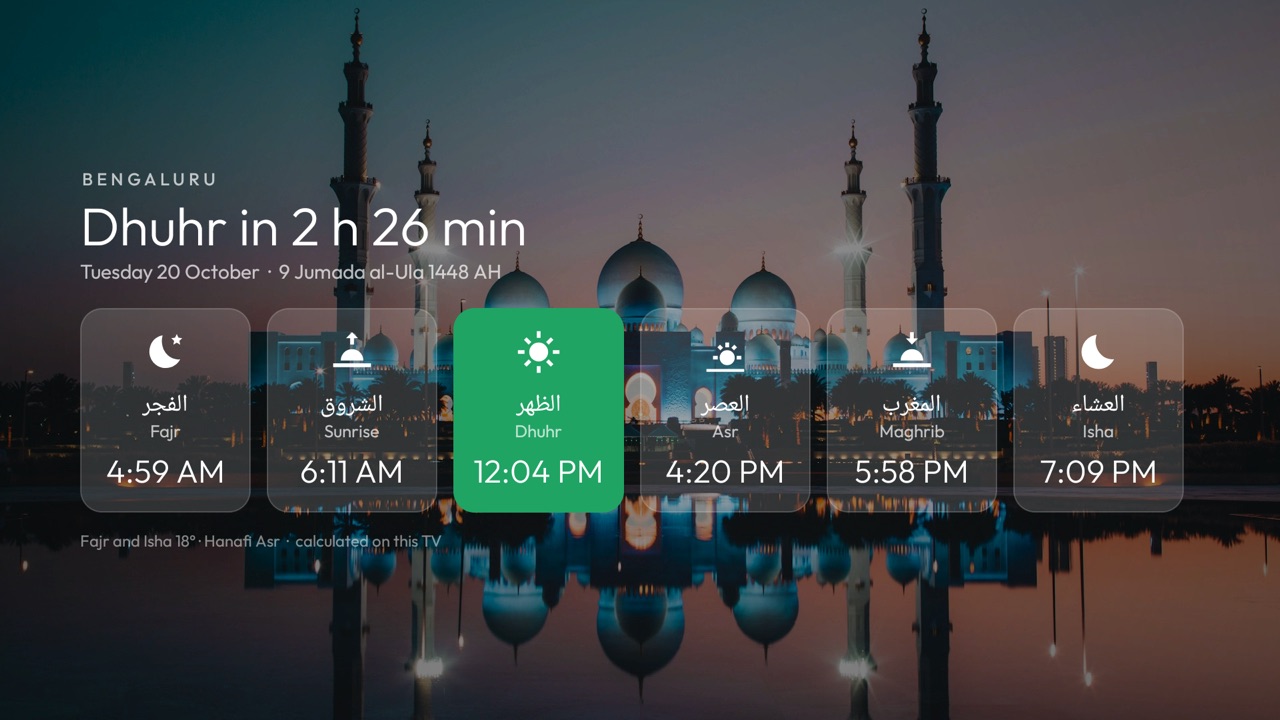
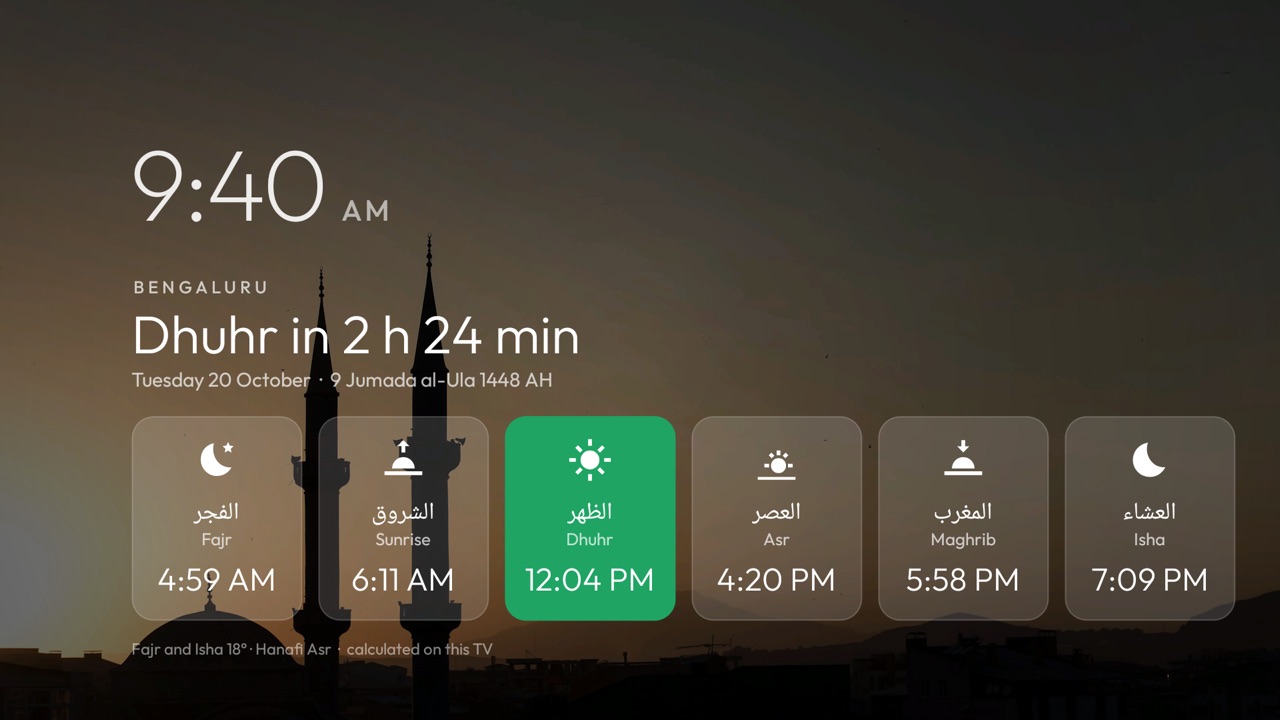
Calculated on the TV, with no internet: Bengaluru, Karachi method, Hanafi Asr, plus the Hijri date. The current and next prayer sit under the clock, a tile opens the full day, and the screensaver shows it over the photos.
Why this matters
Software for an audience of one
For most of my life, software was something you bought. If a product did something you didn’t like, you lived with it, complained, or switched brands. Changing it meant being a developer with a free weekend.
That has changed. I didn’t need to know how Android launchers work, or which of 124 packages on my TV were safe to switch off. Claude read the TV’s logs, ran the commands, built the app, installed it, and checked every step with a screenshot from the TV. My job was to decide: keep the voice remote, keep casting, show these eight apps, use these photos, calculate prayer times the way my family prays.
I think this is what personal software means. You can open almost anything you own, keep the parts you like, and replace the rest with something made only for you. Nobody would sell a launcher with Hanafi Asr times for Bengaluru on the screensaver. Now nobody has to.
Do it yourself
All you need is this
You need an Android TV or Google TV, a computer on the same Wi-Fi, and Claude Code.
Turn on USB debugging on the TV
Settings → Device Preferences → About → press OK on Build seven times. Go back to Developer options and turn on USB debugging.
Open Claude Code in an empty folder
On your computer, on the same Wi-Fi as the TV.
Paste the prompt below, with your TV model
Claude asks before it changes anything you might use.
Accept "Allow USB debugging?" on the TV
Tick "Always allow from this computer", then answer Claude's questions about your apps.
Turn USB debugging off when you're done
The new home screen keeps working without it.
My TV model is: <YOUR TV MODEL>. It is on my Wi-Fi with USB debugging on.
Find it over ADB, back up its app list and settings, and write a restore script first.
List the installed apps, and ask me before you switch off anything I might use.
Disable the maker's tracking, sponsored rows and preinstalled apps I don't want:
only disable, never uninstall system apps.
Then build me a small, simple home screen with my favourite apps in one row,
and check every change with a screenshot from the TV.
You don’t have to copy anyone’s launcher: Claude can build one from scratch with exactly the settings you want. Starting from cleanyourtv and its full prompt gets you more for free: bug fixes, translations, and app lists that other people have tested on 66 TV models.
Everyone is doing this
763 forks in three days
The cleanyourtv repo went up on 17 October 2026. Three days later it had about 6,400 stars and 763 forks. When I looked through the forks, 92 of them had changed the launcher in their own way:
- manojm321/jain-tv-launcherA Jain calendar on the home screen, calculated offline
- majnioui/CleanXiaomiTVA Prayer Times screen with the Hijri date, the idea behind mine
- gpokhark/cleanyourtvA "Last on YouTube" row of recently watched videos
- wevbert/cleanyourtvA Netflix data limiter and a PlayStation tile
- briansilah/tv-vibehackA frosted "liquid glass" dock with cover art
- amineio/google-tv-appsA bedtime clock with viewing limits for kids
Each one is somebody’s TV, made for their house. That is the part I find exciting.
The catch
The same superpower works for attackers
AI made it cheap to fork a project, change it and send the change back. That is why one small repo has hundreds of forks and a steady stream of contributions. It also makes the supply chain wider than anyone can read.
The home screen is the first app your TV runs, every time. Mine can read the photos folder and knows which Wi-Fi it’s on. If someone slips harmful code into a popular repo, everyone who pulls the latest version and installs it puts that code on their TV. I merged 83 commits from the original repo without reading every line before I stopped to think about this.
What I do now
- Build from my own fork. Nothing updates on its own; the TV only changes when I build and install.
- Don't sync blindly. If I want something new from the original, I read that change, or ask Claude to review it, and copy only that part.
- Check permissions. My launcher has no internet permission, so it can't send data out by itself.
- Keep changes small. A focused change is easy to read; a big merge is not.
- Close the door afterwards. USB debugging goes off when I'm done.
Credits
Built on other people’s work
The launcher, the prompt and the tools come from cleanyourtv by Gathin (MIT licence). The prayer-times screen was inspired by CleanXiaomiTV by majnioui. The wallpapers are free photos from Unsplash; the photographers are listed in my fork’s notes.
My changes are open source at github.com/Alafazam/cleanyourtv. I sent back what fit the original: my TV’s app list, a showcase entry (merged) and a bug report.